Orders Risk Review
Plan: Free (view only) · Starter and above (actions)
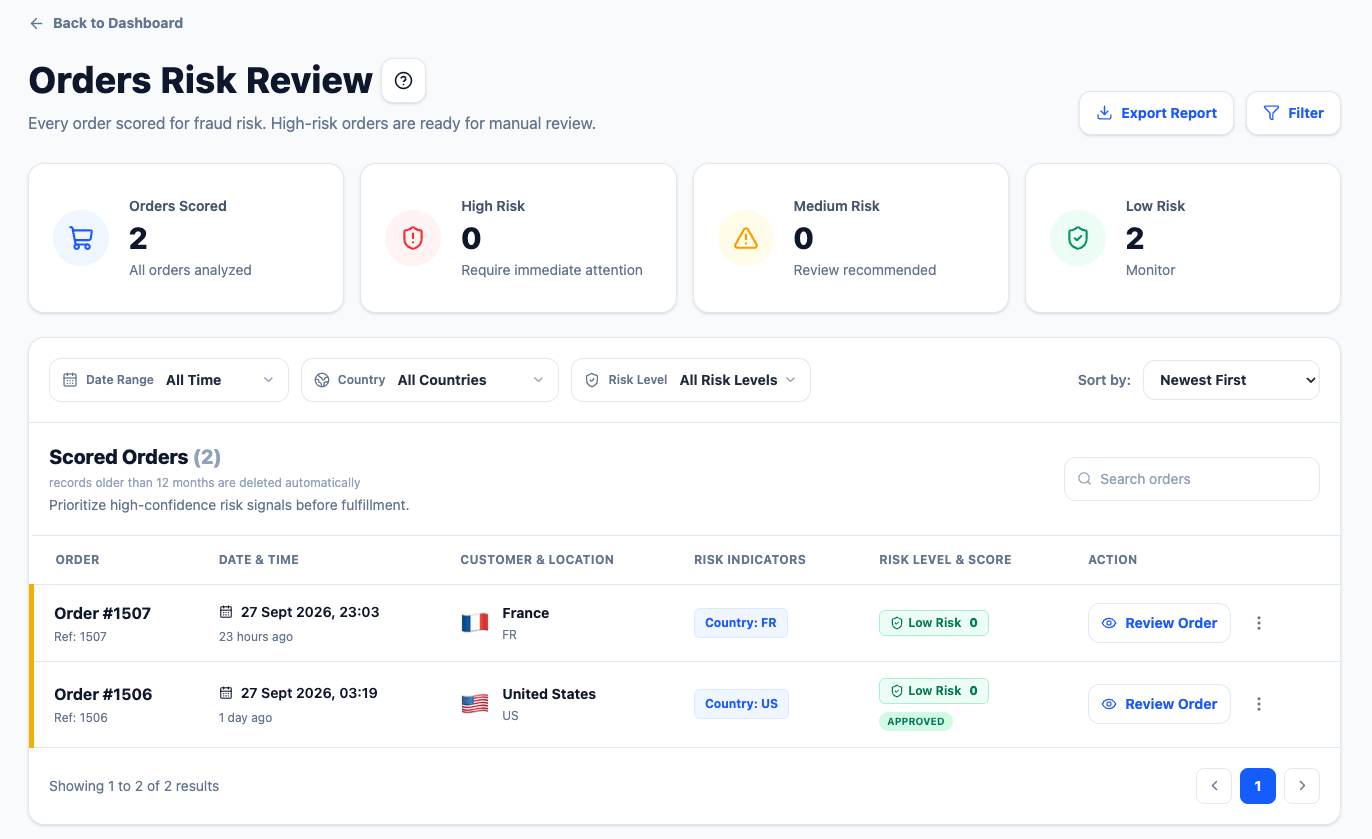 Orders Risk Review with the review panel open, showing both risk assessments
Every order Shopify sends is scored and listed here — not just risky ones. The cards show real totals across all your orders; the list shows the most recent 100.
Reading an order
Click any order to open the review panel:
- FlexifyGuard risk — score, level and the signals that produced it.
- Shopify's assessment — Shopify's own fraud analysis for the same order (Low / Medium / High), when Shopify has provided one. Two independent opinions on one screen.
- Customer, address and IP details.
Actions
| Action | What happens in Shopify |
|---|---|
| Approve | FlexifyGuard submits a Low risk assessment to the order, visible in Shopify's fraud analysis |
| Hold | A fulfilment hold is placed on the order with reason High risk of fraud. Fulfilment stays blocked until you release it |
| Cancel Order | The order is cancelled in Shopify. A confirmation dialog appears first |
Actions sync to the real Shopify order. If a sync fails, the panel says so.
Older orders: orders received before FlexifyGuard began storing Shopify's internal order ID cannot be synced; the panel shows Older order — only new orders sync with Shopify.
Statuses
- pending — not yet reviewed
- approved — you approved it
- hold — you placed a hold
- rejected — cancelled (by you or by auto-cancel, confirmed by Shopify)
Step by step: reviewing a risky order
- Open Orders Risk Review. Orders are newest first; the badge (High / Medium / Low) is FlexifyGuard's score.
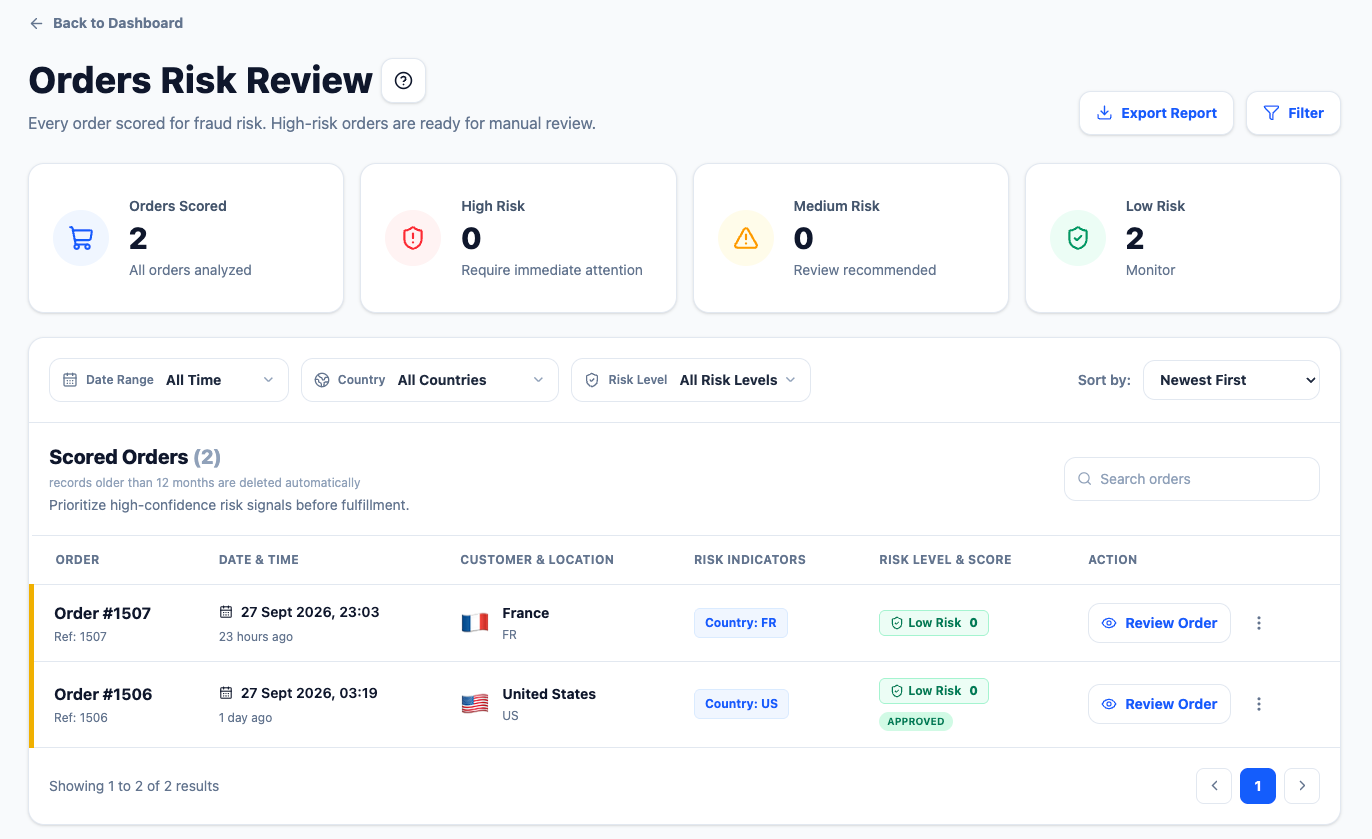 The order list with risk levels
- Click a High order. The panel shows FlexifyGuard's signals and, when Shopify has one, Shopify's own assessment below it.
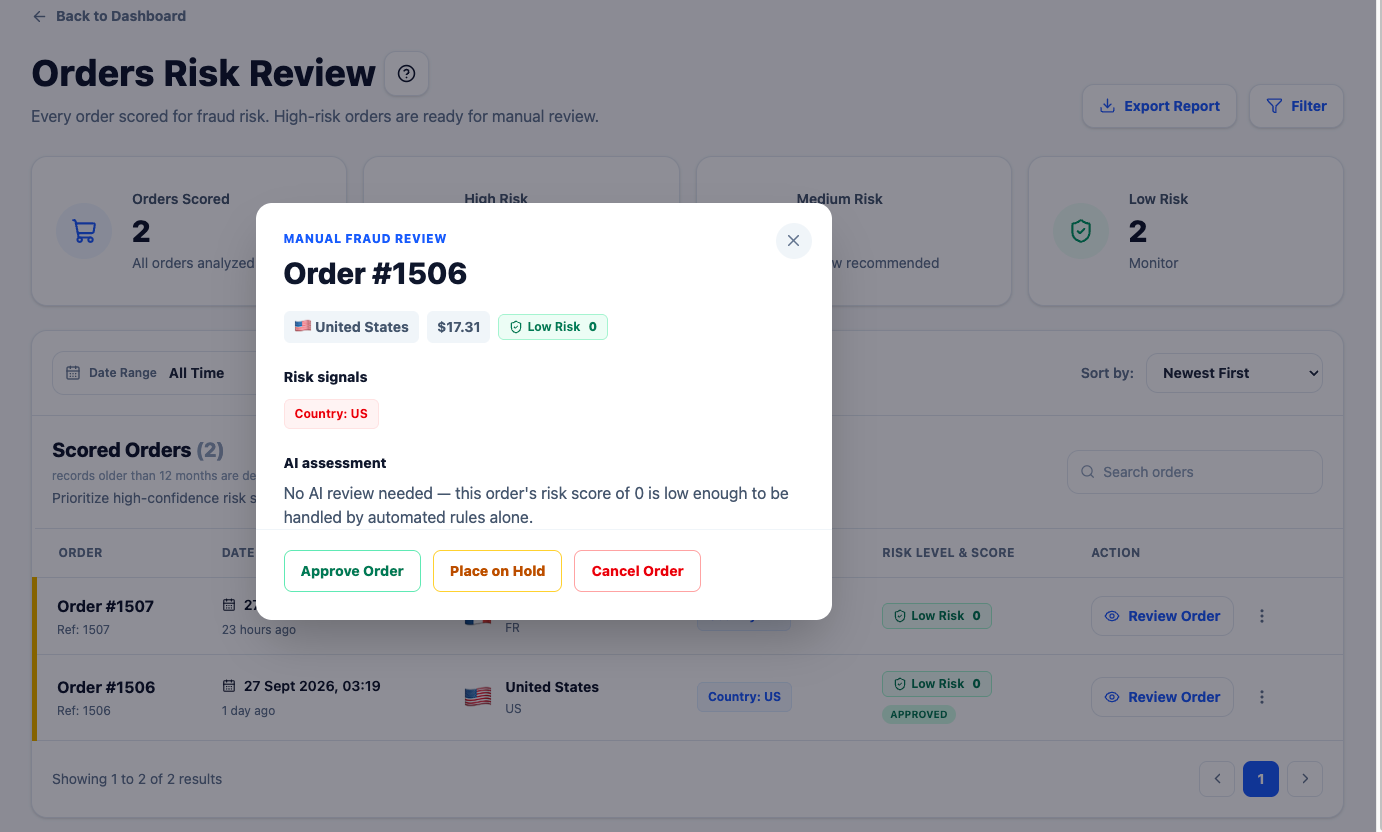 The review panel with risk signals and the three actions
- Decide:
- Approve if both look fine; FlexifyGuard submits a Low assessment to Shopify.
- Hold to check with the customer; fulfilment is blocked until you release it in Shopify.
- Cancel Order if it is clearly fraudulent; the order is cancelled in Shopify after you confirm.
- The row's status updates (approved / hold / rejected). If the sync to Shopify fails, the panel says so.